
Why Neo Launcher?
Neo Launcher transforms your Android home screen experience with extensive customization options built on AOSP Launcher3.
Designed for users who want complete control over their device interface, it offers rich theming, gesture support, custom widgets, and powerful organization tools. Whether you’re into icon packs, using custom search engines, or organizing apps into categories, Neo Launcher provides the flexibility and features that power users demand while maintaining the smooth performance of AOSP.
Note: This project is actively maintained. We’re currently working on the Android 16-based version. Both maintainers (Saul and Antonios) have faced some barriers in private life and technically on AOSP’s side, but development continues.
Features & Screenshots
Key Features
Rich Customization
- Extensive theme support with customizable colors and visual styling
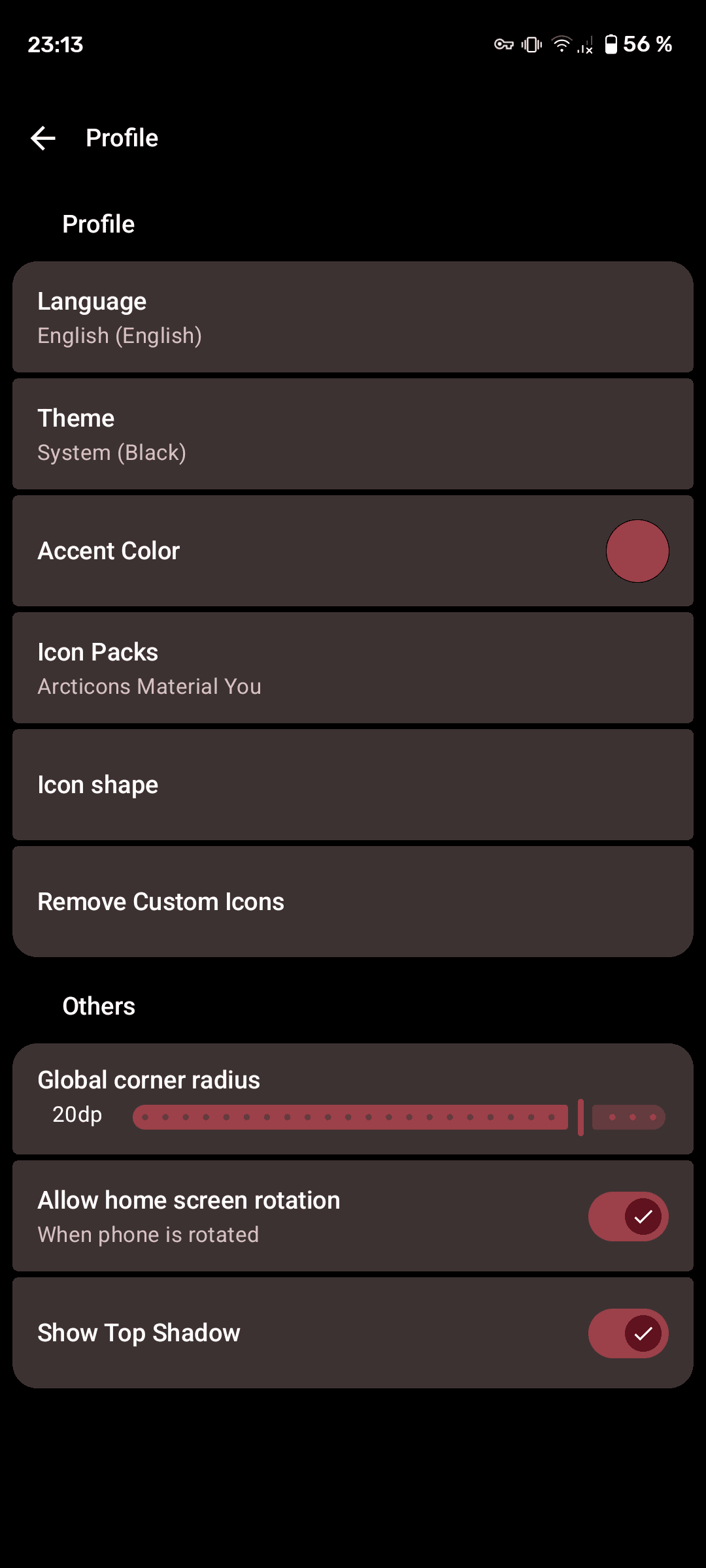
- Icon shapes and icon packs support for complete visual control
- Custom icon shapes for adaptive icons
- Icon scaling and colored backgrounds
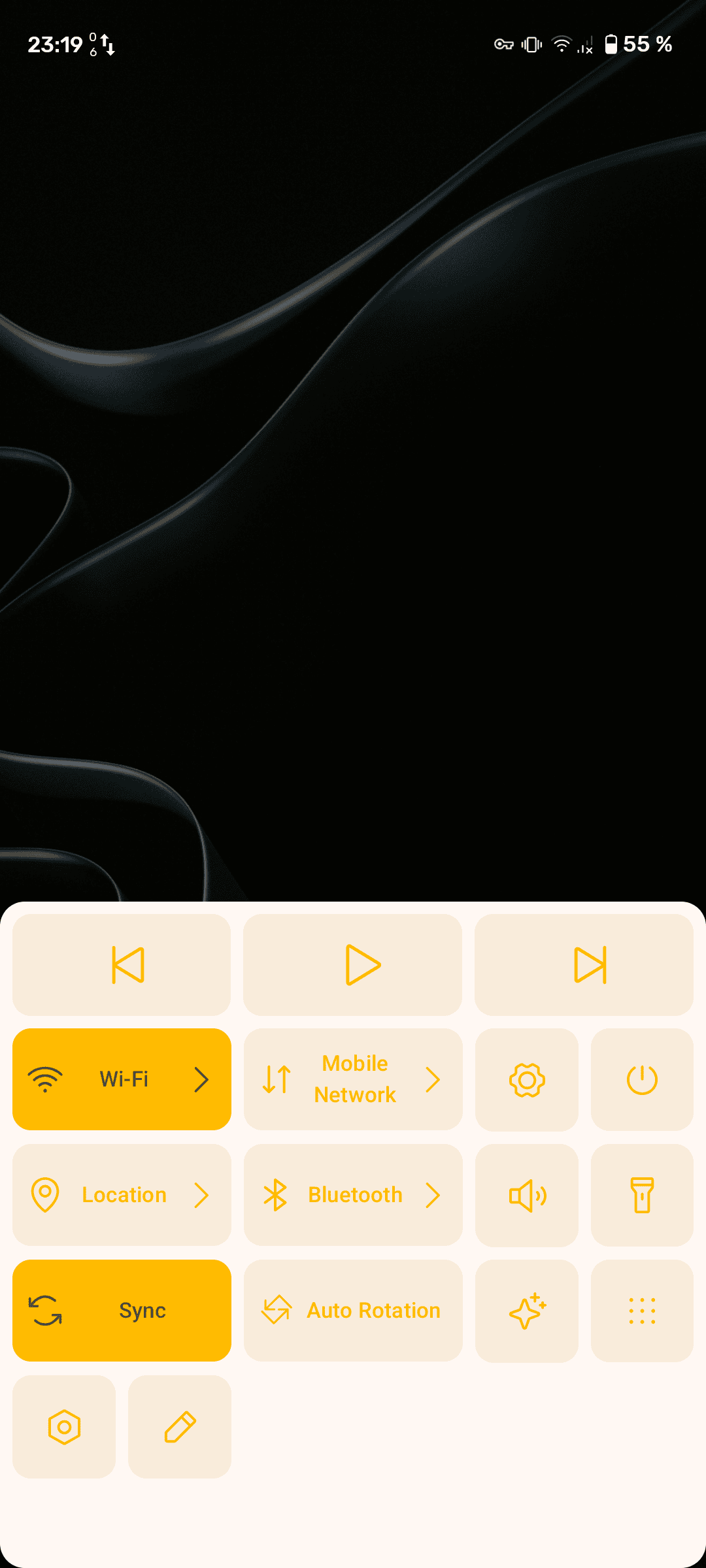
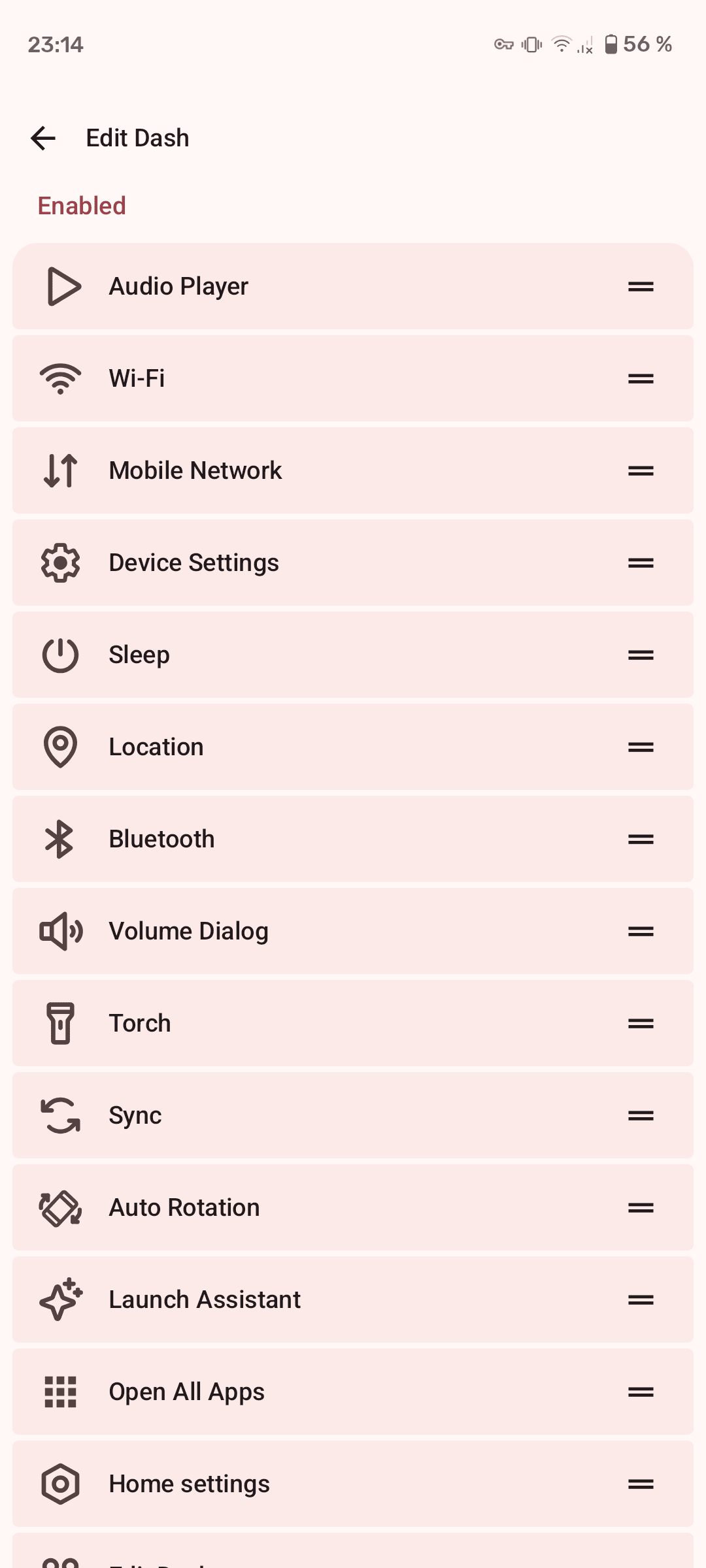
- The Dash: Customizable quick access panel for frequently used features and settings
Smart Organization
- Categories or folders in the app drawer for logical grouping
- Vertical app lists for easier navigation
- Custom sorting options for apps
- App hiding functionality for decluttered drawer
- Protected apps for better managed security
Advanced Features
- Custom search engines integration
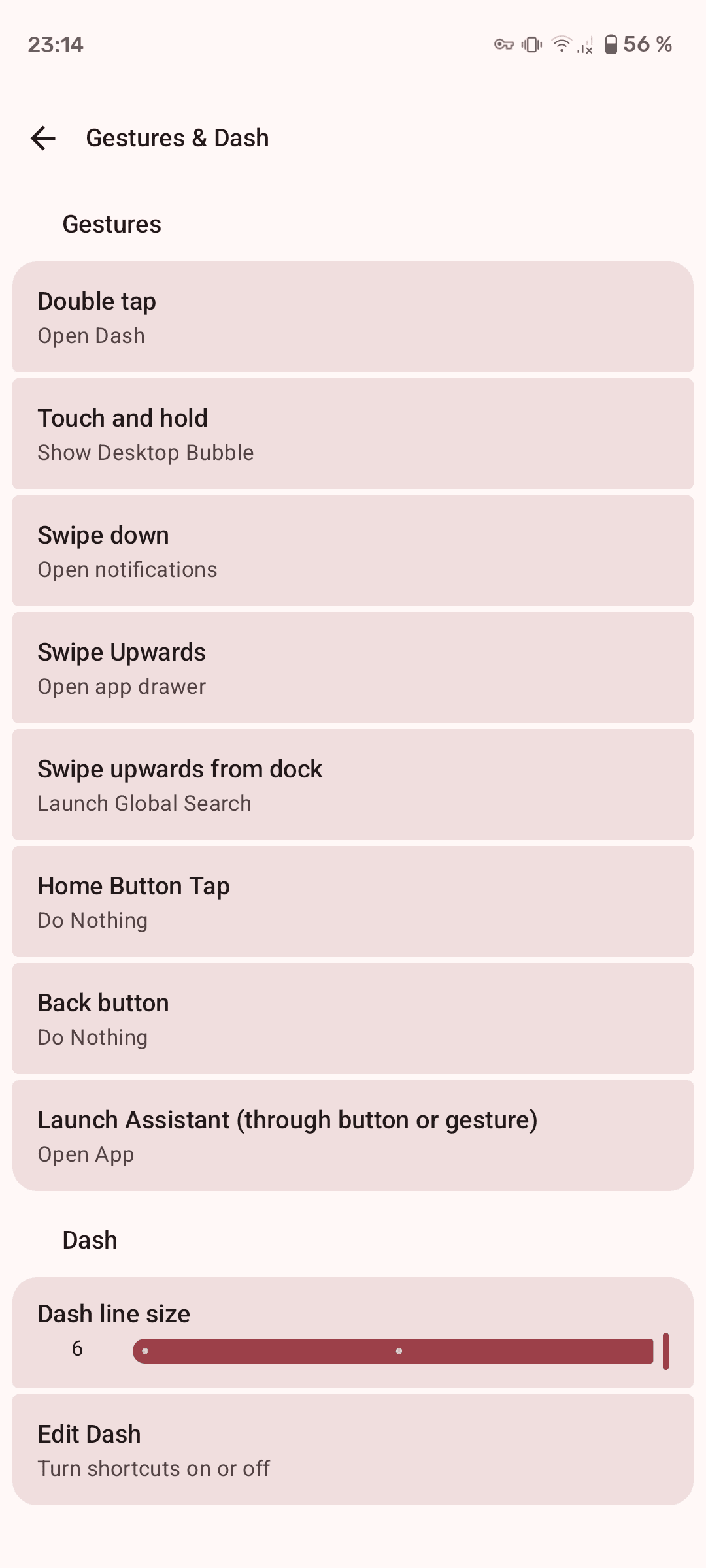
- Extensive gesture support for quick actions
- Quick shortcuts to apps and actions
- Backup and restore preferences
- Feeds support for easily accessible Google Discovery alternatives
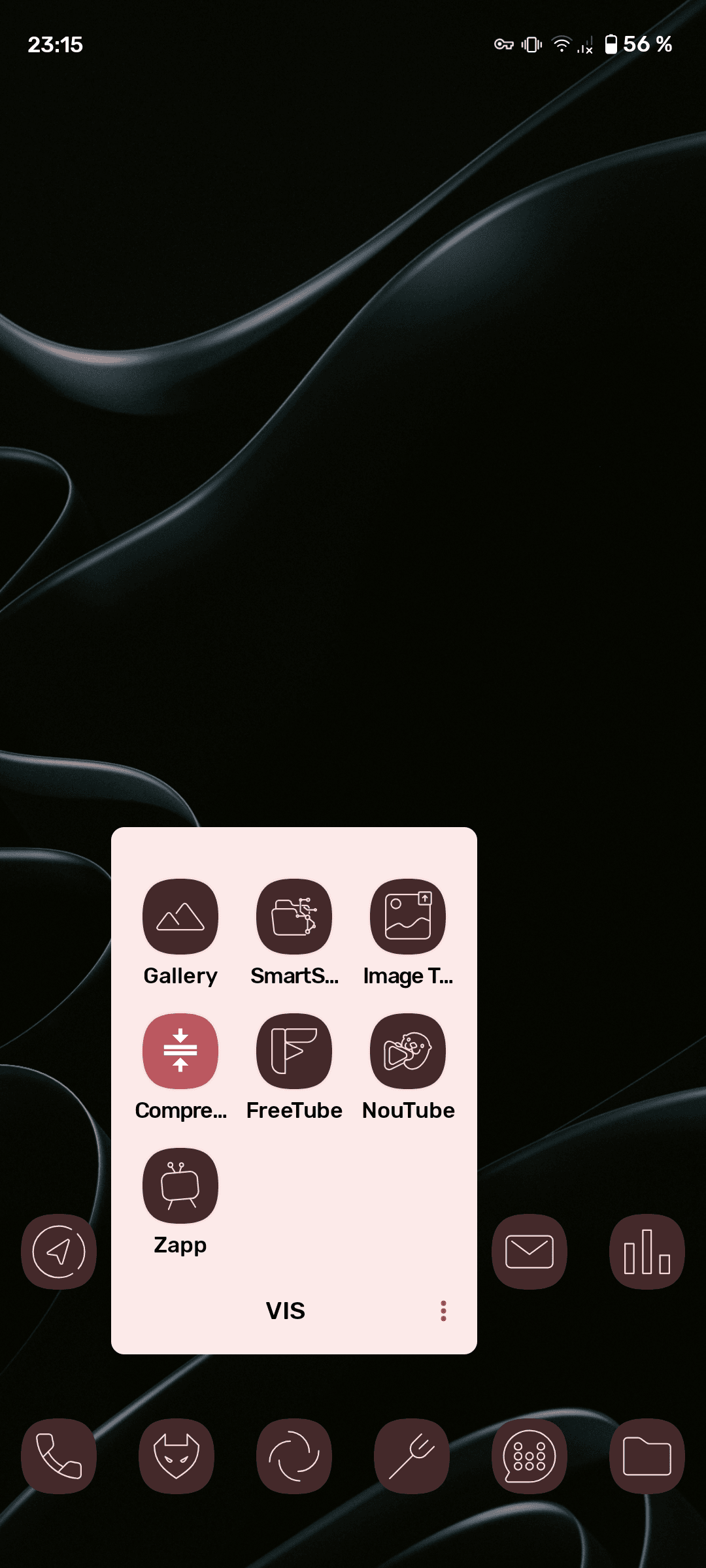
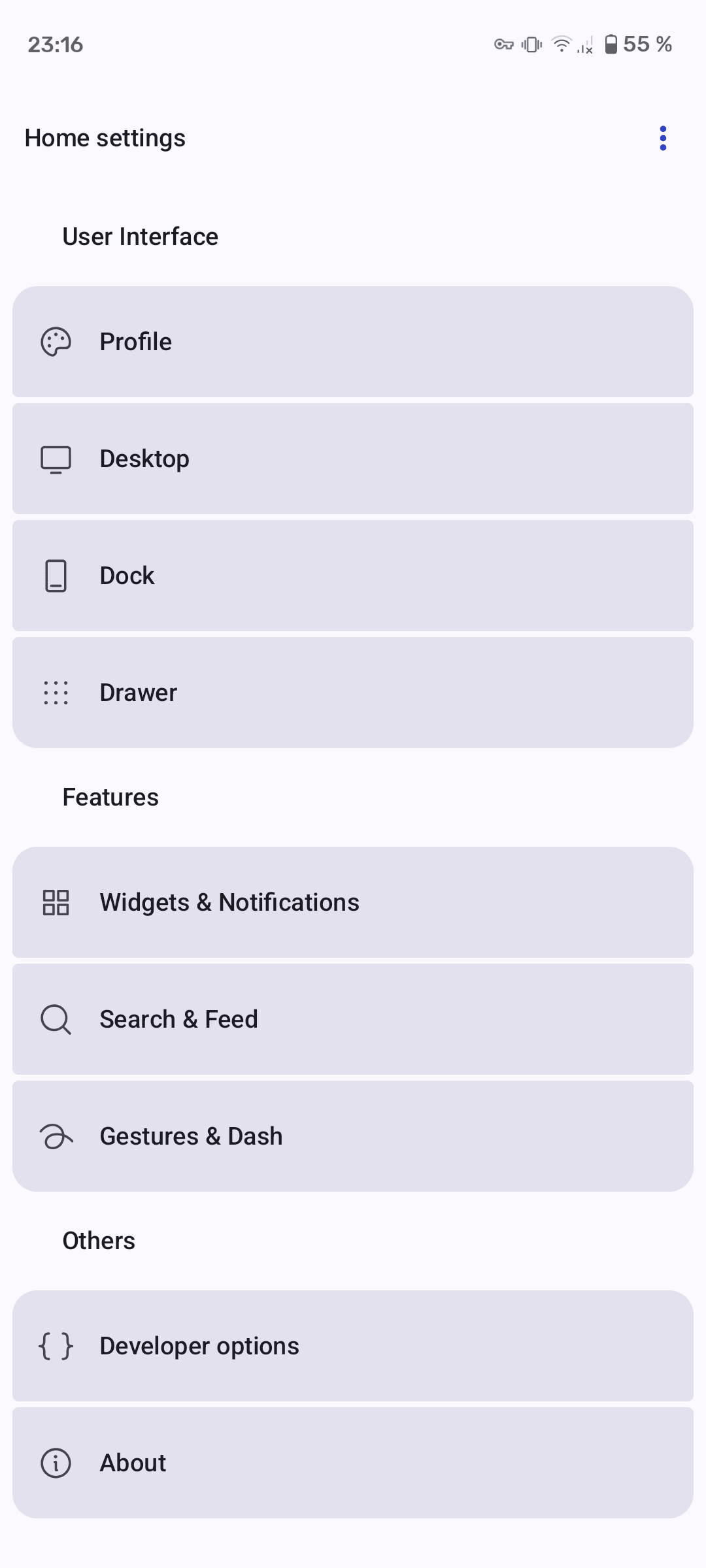
Screenshots
Experience the many powerful customization options across different themes and configurations.
| Home Screen | The Dash | Settings Page |
|---|
| Profile Setup | Gestures Setup | Dash Setup |
|---|
Getting Started
Installation
Recommended Methods:
- IzzyOnDroid (Recommended)
- Add IzzyOnDroid repository to F-Droid
- Or visit IzzyOnDroid directly

- Direct Download from release pages


System Requirements:
- Android 11 (SDK 30) or higher
- Recommended: Android 16+ for best compatibility and latest features
- Optional: Some features would require accessibility permission or other high permissions
Building from Source:
# Clone the repository
git clone https://github.com/NeoApplications/Neo-Launcher.git
cd Neo-Launcher

# Build using Gradle
./gradlew assembleRelease

# Install on device
adb install -r build/outputs/apk/release/Neo-Launcher-*.apkMaking Neo Launcher Your Default
After installation:
- Open Neo Launcher from your app drawer
- Press the Home button on your device
- Select Neo Launcher from the list
- Choose “Always” to set it as your default launcher
You can always change your default launcher in Android Settings → Apps → Default Apps → Home App.
FAQ
Is QuickSwitch available? No, QuickSwitch is not available, and there are currently no plans to add it as Google has been on-and-off considering its integration in the system or launcher.
Can I use icon packs from the Play Store? Yes! Neo Launcher supports most third-party icon packs. Go to Settings → Desktop → Icons → Icon Pack to select your installed icon pack.
How do I backup my settings? Neo Launcher includes a built-in backup and restore feature. Access it through Settings → Advanced → Backup & Restore. This saves your preferences, layout, and customizations.
Why isn’t a feature from Android 13+ available? Neo Launcher is currently based on Android 12 (SDK 31) with some test build based on Android 14 (SDK 34). We’re actively working on updating to Android 16 (SDK 36), which will bring newer features and improvements.
How do I report a bug or request a feature? Visit our GitHub Issues page or discuss in our community channels.
Get Involved
Communication Channels
Join our vibrant community to ask questions, share customizations, and stay updated:


Development Status
Current focus areas:
- Android 16 (A-16) migration - a simple, stable release
- Porting back most features from the A14 builds
Translations
Help make Neo Launcher accessible to everyone! We use Weblate for community translations - you can translate strings directly in your browser, and contributions are automatically integrated.

New languages are always welcome! Even partial translations help make Neo Store more accessible for the people that share your language.
Contributing Code
If you have knowledge in Java or Kotlin, you can work on additional features or bugs:
- Fork the repository
- Create a feature branch
- Make your changes (ensure code is properly formatted)
- Open a pull request with a clear description
You can also contribute by opening issues for bugs or new features. Check our contribution guidelines for more details.
Recognition & Credits
Special Thanks
The Lawnchair Launcher Team - For the incredible work on Lawnchair, which has influenced and inspired Neo Launcher’s development.
Rafael Venâncio - For creating the F-Droid repository and supporting distribution and with community management.
Donno - For designing the new app icon base.
Helena Zhang & Tobias Fried - Creators of Phosphor Icons , the beautiful icon set we’ve used since version 0.9.0.
Support the Project
If you’d like to support development financially:

Contributors
A huge thank you to everyone who has contributed code, design, translations, bug reports, and ideas:
License
Licensed under GNU General Public License v3.0 or later
The original AOSP Launcher3 code is licensed under the Apache License, Version 2.0
Copyright © 2025 Saul Henriquez , Antonios Hazim and contributors
Part of the Neo Applications collective - building open-source Android apps for everyone.