
Why Neo Backup?
Neo Backup reimagines Android app backup with modern architecture, accessible security, and flexible storage options.
Built for power users who need reliable, secure backups when changing ROMs or doing device maintenance, it provides comprehensive backup and restore capabilities for both user and system apps. From individual app backups to scheduled batch operations, Neo Backup gives you complete control over your data with the transparency you expect from open-source software.
Features & Screenshots
Key Features
Backup & Restore Operations
- Individual app backup and restore with complete data preservation
- Batch operations for multiple apps simultaneously
- System app support without requiring device reboot
- Special data types: SMS/MMS, call logs, and system settings (still in general testing)
- Scheduled backups with unlimited custom schedules
Security & Encryption
- Storage Access Framework (SAF) integration for flexible storage options (local and cloud)
- AES256 encryption with user-defined passwords
- Biometric authentication for app access
- Secure storage of passwords through Android’s Keystore
- Root access for system-level operations
Modern User Experience
- Advanced filtering and sorting tools
- Tags and notes for more identifiable backups
- Multi-language support with community translations
- Intuitive backup workflow and progress tracking
- Import/export capabilities for schedules, logs etc..
Screenshots
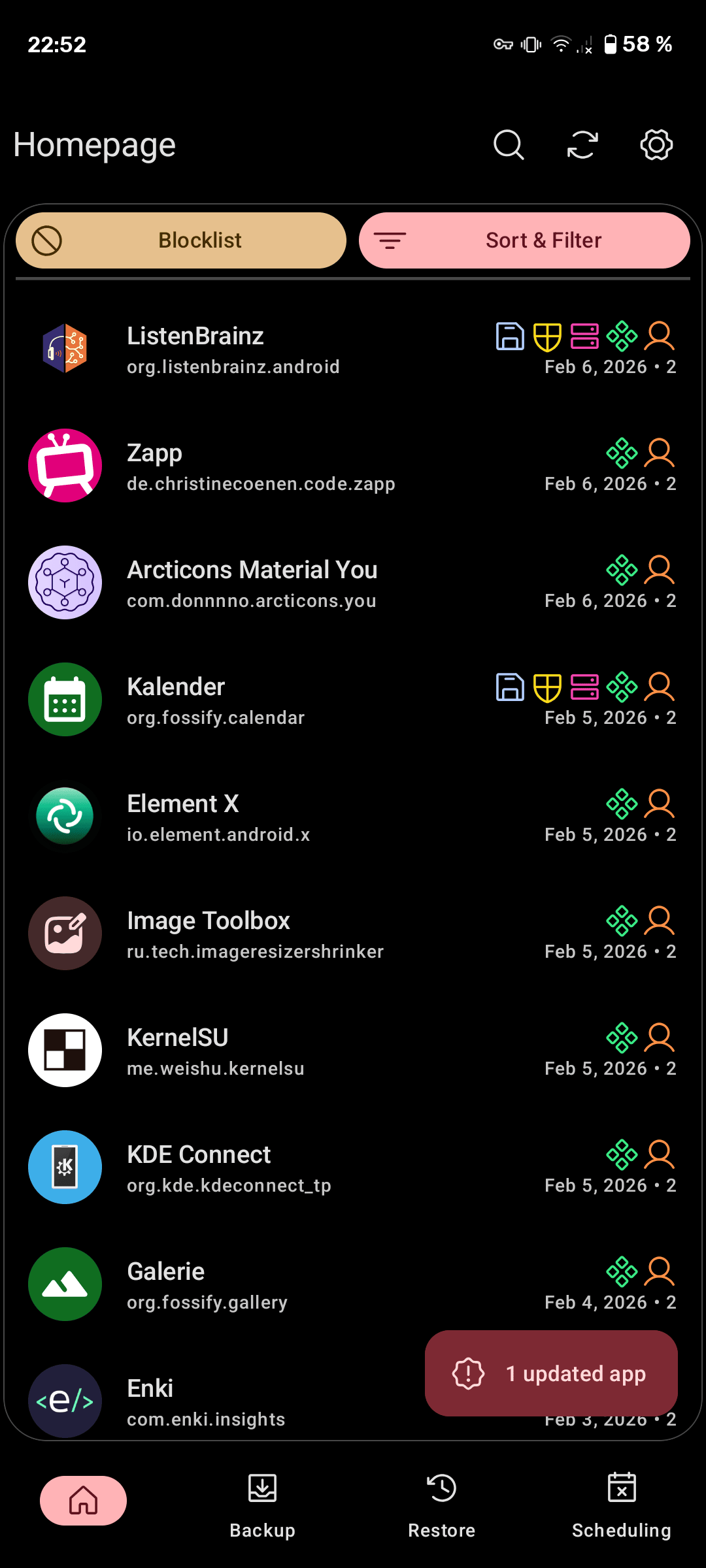
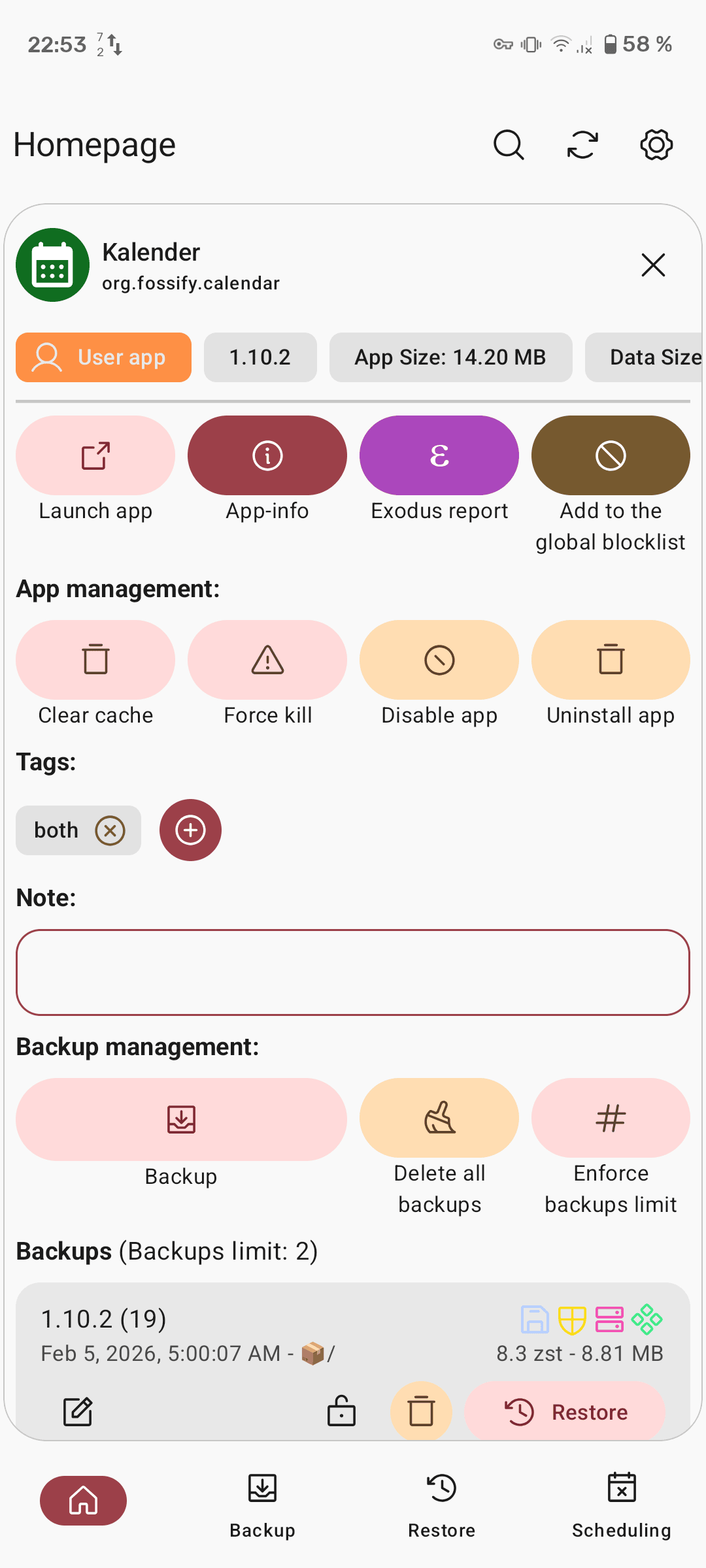
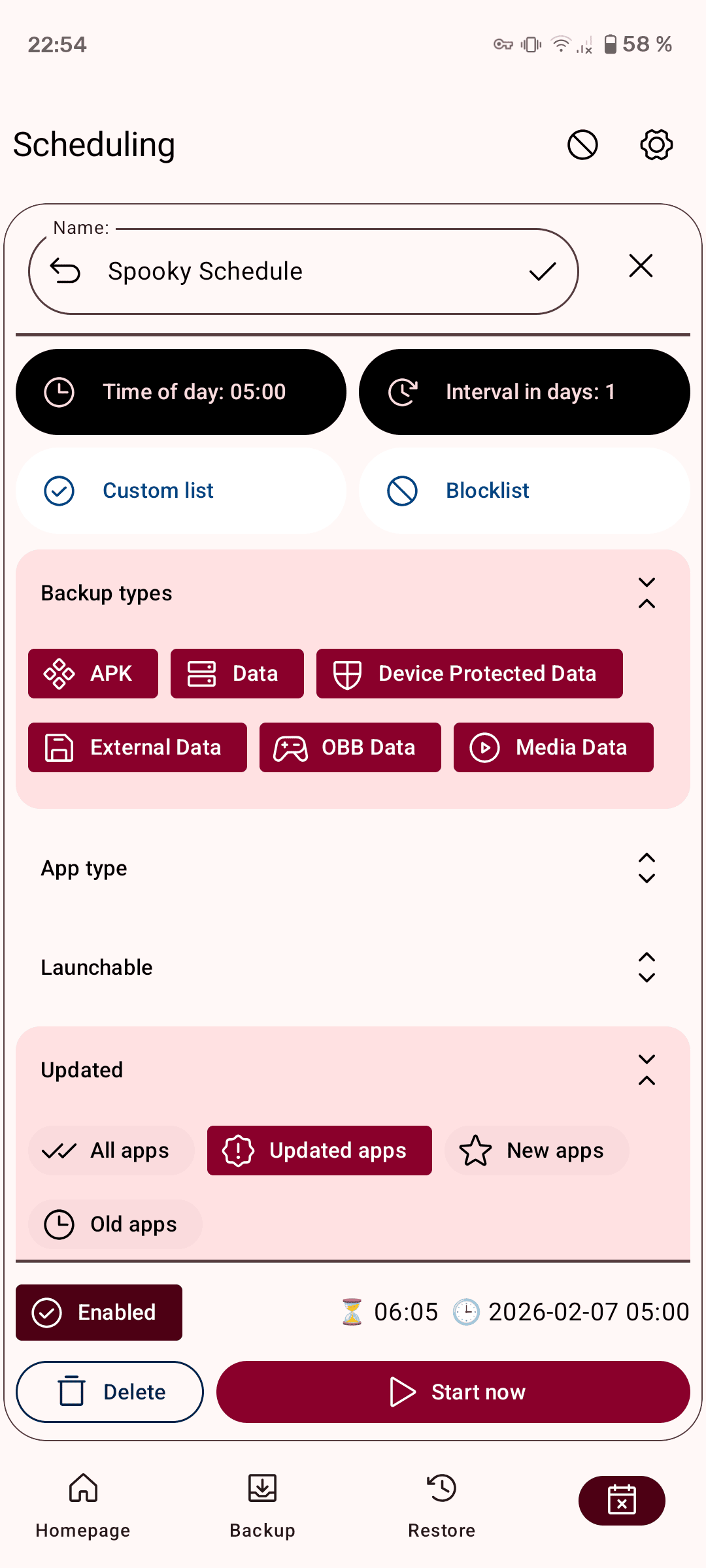
Available in beautiful light and dark themes optimized for modern Android. Also in different contrasts.
| Main Screen | App Page | Schedule Page |
|---|
| Sort & Filter | Batch Operations | Settings |
|---|
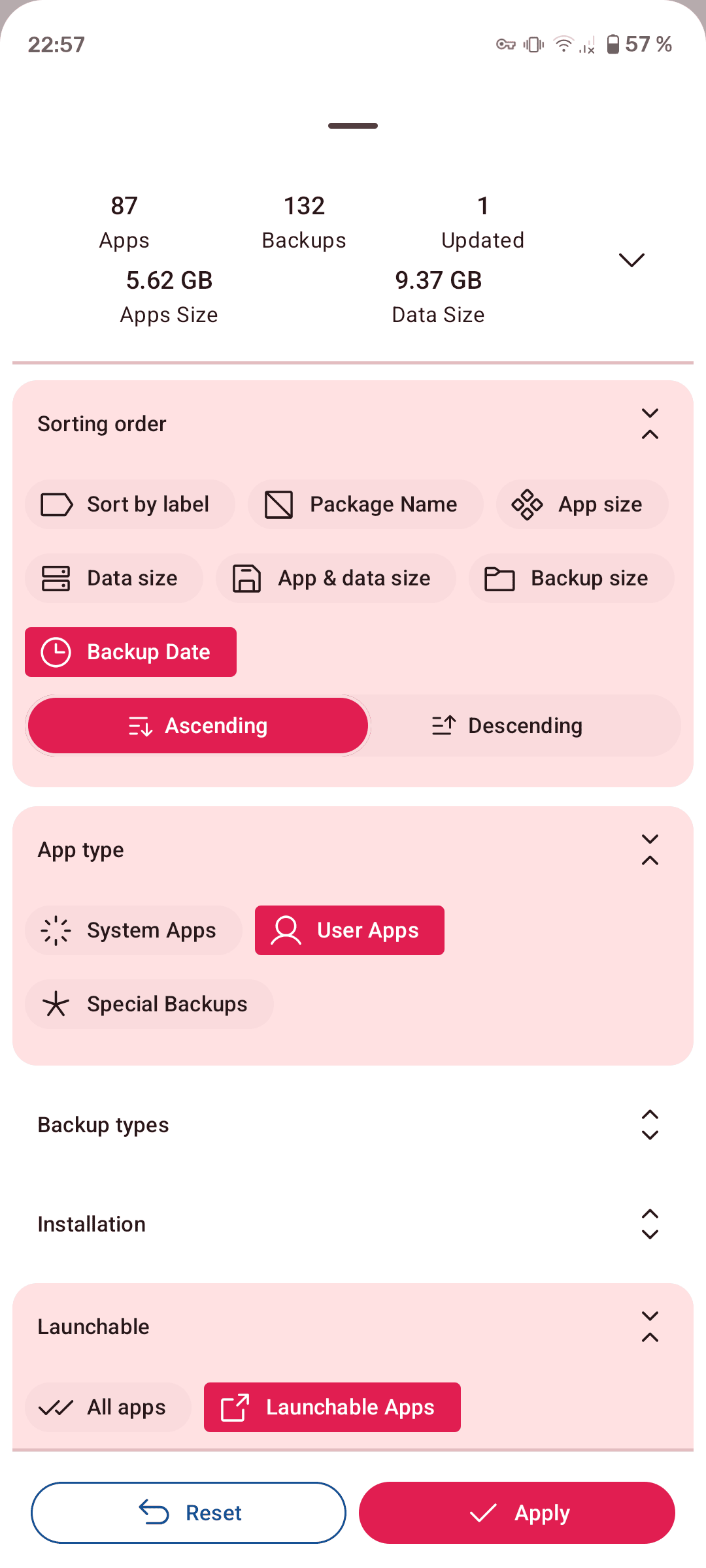
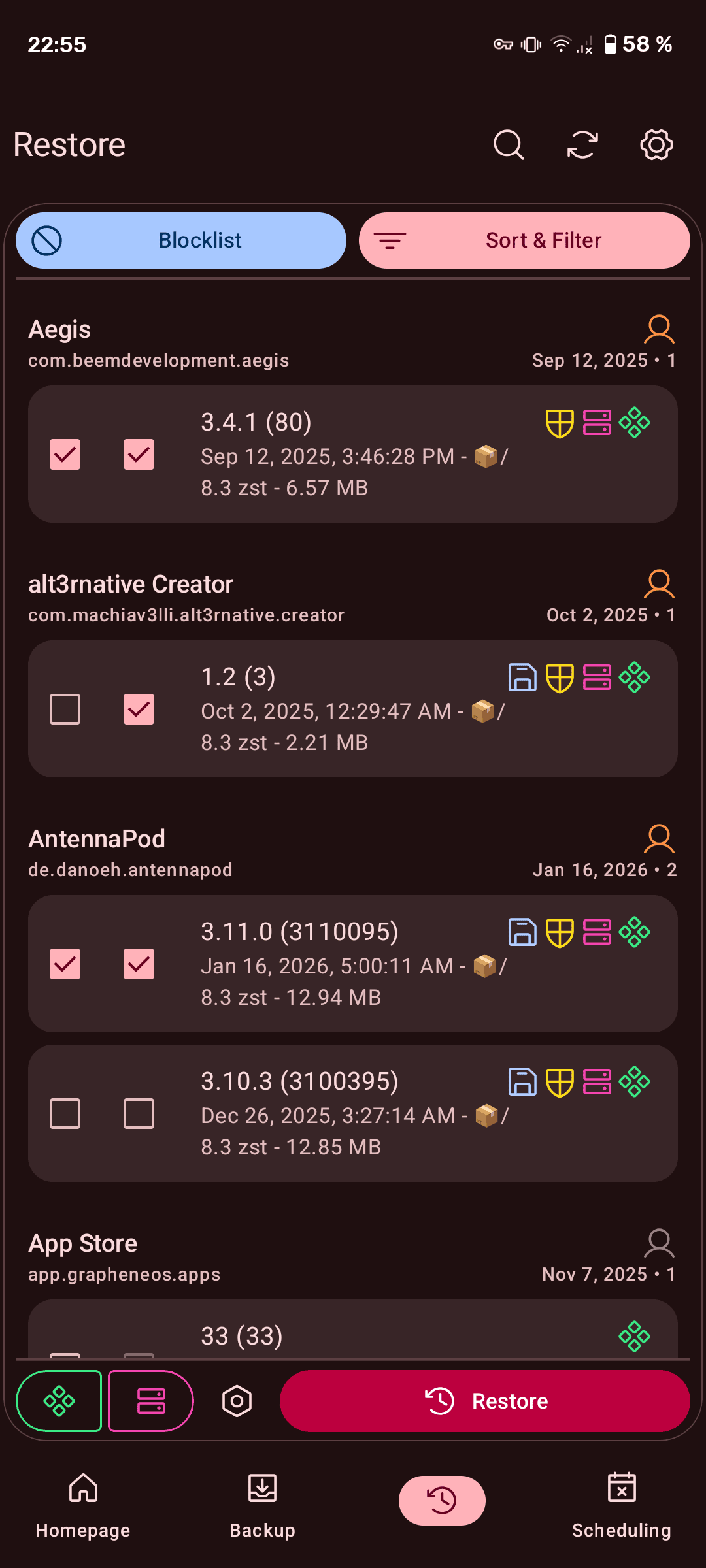
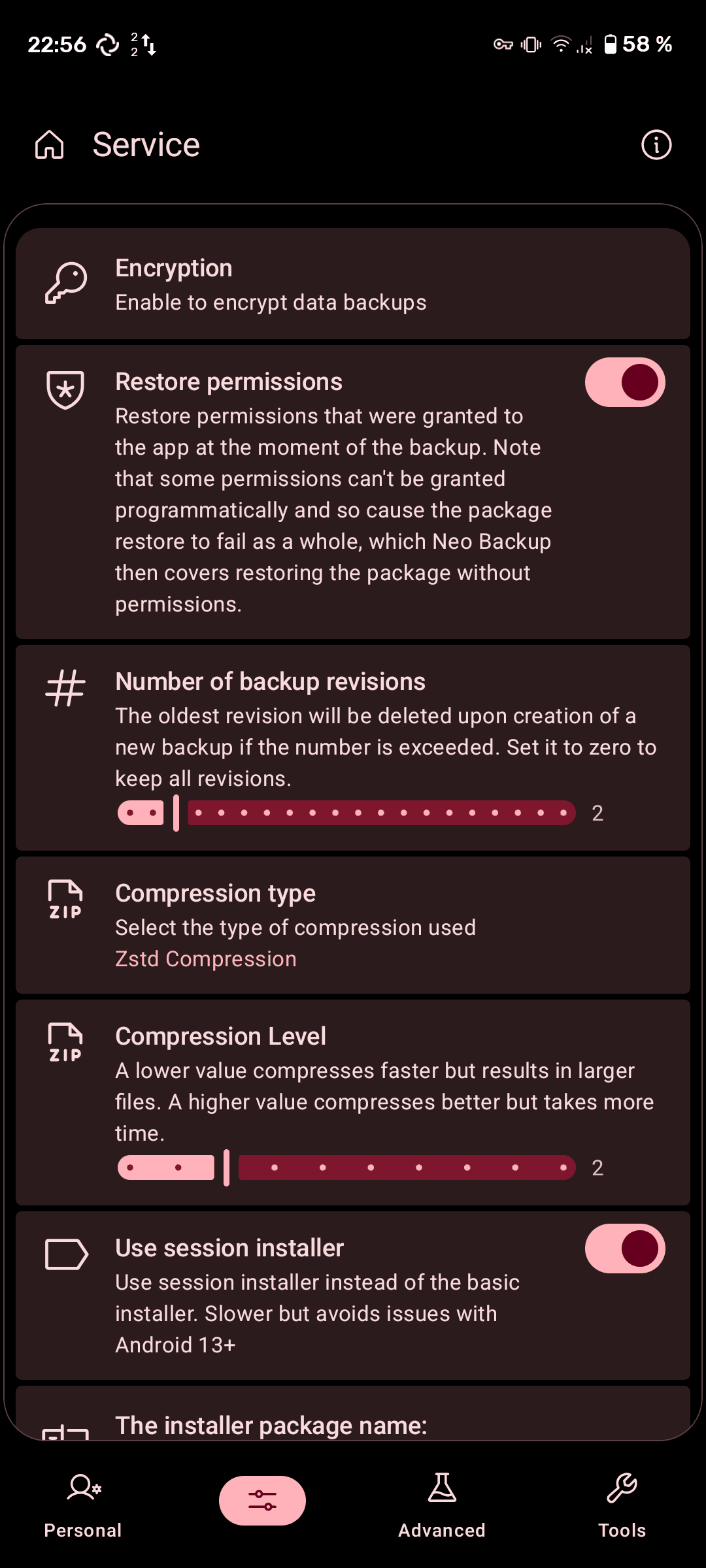
Getting Started
Installation
Recommended Methods:
- F-Droid (Official Repository)
- Visit F-Droid
- Either install directly through F-Droid app or download from your browser

- IzzyOnDroid (Faster Updates)
- Add IzzyOnDroid repository to F-Droid
- Or visit IzzyOnDroid

- Direct Download from release pages


System Requirements:
- Android device with root access (mandatory)
- Android 8.0 (SDK 26) or higher
- Recommended: Android 16 (SDK 36) for best compatibility
- Modern Android version (optimized for Android 5.0+)
- Sufficient storage space for backups
- Root management solution (Magisk, KernelSU, etc.)
Building from Source:
# Clone the repository
git clone https://github.com/NeoApplications/Neo-Backup.git
cd Neo-Backup

# Build using Gradle
./gradlew assembleRelease

# Install on device (requires root)
adb install -r build/outputs/apk/release/Neo-Backup-*.apkRecommended Setup
For optimal backup security and reliability:
- Enable Encryption: Set a strong password in Settings → Security to encrypt your backups with AES256
- Configure Cloud Sync: Use Storage Access Framework to connect your preferred cloud storage (Syncthing, Nextcloud, etc.)
- Schedule Regular Backups: Set up automated schedules for critical apps to ensure you never lose data
- Create Custom Lists: Organize apps into logical groups (Daily Apps, System Apps, Games, etc.) for easier batch operations
- Test Restores: Periodically verify backups by testing restore operations on non-critical apps
FAQ
Why does Neo Backup require root access? Root access is required to access protected Android application data directories and perform system-level backup operations. This ensures complete backup coverage including app data, settings, and databases.
Can I restore backups from older Neo Backup versions? Version 5.0.0+ uses new encryption and database systems. For backups from versions prior to 4.0.0, restore using version 0.9.3 first, then create new backups with the current version.
How do I backup to cloud storage? Use the Storage Access Framework integration in Settings → Storage. You can select any cloud storage provider that integrates with Android’s document picker (Google Drive, Nextcloud, Syncthing, etc.).
Is it safe to backup and restore system apps? Yes, Neo Backup is designed to safely handle system apps. Unlike many backup solutions, restoring system apps doesn’t require a device reboot.
How do I report a bug or request a feature? Visit our GitHub Issues page or discuss in our community channels.
Get Involved
Communication Channels
Join our vibrant community to ask questions, share feedback, and stay updated:


Roadmap
Check our active Project Board on Codeberg to see upcoming features, current development priorities, community-requested enhancements, and opportunities to contribute.
Translations
Help make Neo Backup accessible to everyone! We use Weblate for community translations - you can translate strings directly in your browser, and contributions are automatically integrated.

New languages are always welcome! Even partial translations help make Neo Store more accessible for the people that share your language.
Recognition & Credits
Special Thanks
Jens Stein - Original developer of OAndBackup , the foundation upon which Neo Backup is built. Thank you for creating such a valuable tool for the Android community!
Harald Gutsche, Nils, Martin, and DL - Long-time active contributors whose dedication has shaped Neo Backup into what it is today.
Oliver Pepperell - Contributed to the anniversary design refresh.
Helena Zheng & Tobias Fried - Creators of Phosphor Icons , the beautiful icon set we use throughout the app.
Tuta - Providing premium accounts to support our development efforts.
Past Translators
Before moving to Weblate, these amazing community members provided manual translations:
Kostas Giapis, Urnyx05, Atrate, Tuchit, Linsui, scrubjay55, Antyradek, Ninja1998, elea11
Contributors
A huge thank you to everyone who has contributed code, design, translations, bug reports, and ideas:
License
Licensed under GNU Affero General Public License v3.0
App icon based on work by Catalin Fertu from Flaticon
Icons from version 7.0.0 based on CC0 icons from SVG Repo
Icons from version 8.0.0 based on Phosphor Icons
Copyright © 2025 Antonios Hazim and contributors
Part of the Neo Applications collective - building open-source Android apps for everyone.